Meta Thinks AI Belongs on Your Face
Plus, 🚀How to turn a google slides deck into a video with Google Vids, Anthropic wants Claude to join your team, and more!

Hola Decoder😎
If someone forwarded this to you and you want to Decode the power of AI and be limitless, then subscribe now and Join Decode alongside 30k+ code-breakers untangling AI.
👓 Meta Wants AI On Your Face
Meta is expanding its wearable AI ambitions with a new smart glasses lineup designed to reach a broader audience. The focus isn't new hardware capabilities, but making AI-powered glasses cheaper and more accessible.

The Decode:
Three New Collections - The lineup includes Meta Adventurer, Meta Fury, and Meta Glasses by Kylie, offering 26 combinations of frames, lenses, and colors across different styles and price points.
The Celebrity Edition - The $399 Kylie version adds exclusive touches including an embedded gem, custom startup sounds, and the option to interact with Meta AI using Kylie Jenner's voice.
AI Built In - Powered by Meta's Muse Spark AI, the glasses support live translation, visual understanding, turn-by-turn navigation, and more natural voice interactions throughout the day.
Price Over Hardware - While the underlying hardware remains largely unchanged from previous generations, Meta's biggest shift is removing Ray-Ban and Oakley branding to bring entry pricing down to $299.
Meta appears less focused on selling luxury smart glasses and more focused on getting AI onto as many faces as possible. Lower prices, recognizable personalities, and built-in AI services suggest the company sees wearables as a key distribution channel for its broader AI ecosystem.
Together with Alison
Your Ad Looks Ready, But Is It Actually Built to Win?
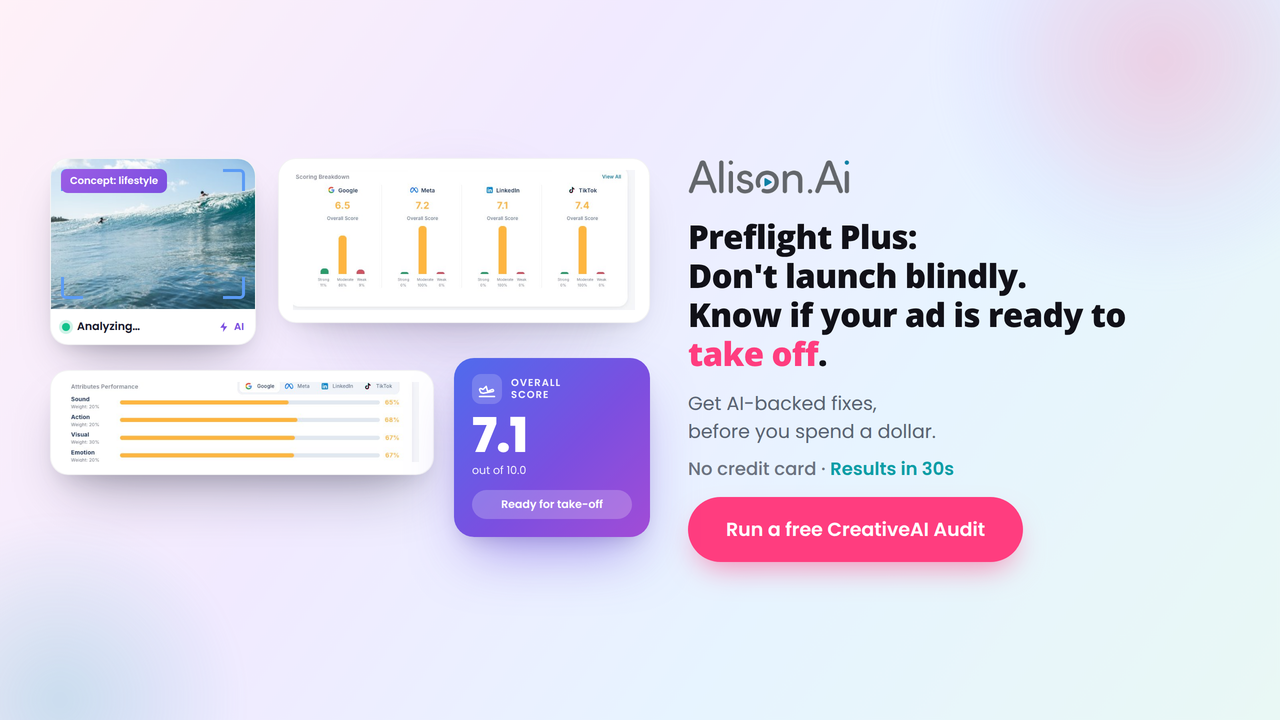
Attention and budget mean nothing if your creative is structurally broken before it ever launches, so why pay to test bad ads?
Alison.ai Preflight Plus runs an instant CreativeAI Audit, validating your video against Google's ABCD, Meta, TikTok, and LinkedIn frameworks, so you know if it's flight-ready before you spend a dollar.
Here's how it works:
✅ Upload your video creative
✅ Alison scores it against industry frameworks in 30 seconds
✅ Get an Adherence Score + specific AI fixes like "Enlarge logo" or "Speed up the hook"
The result? You kill weak assets early and spend media budget only on real contenders.
Brands using Alison are seeing results like +106% ThruPlays (Ferrara), +330% first-time purchases (Tango), and +101% ROI (Sciplay).
Want your next launch ready for take-off?
Run your free CreativeAI Audit now - no credit card.
🚀How to Turn a Google Slides Deck Into a Video With Google Vids
No camera. No studio. Just your existing presentation and a couple of clicks.
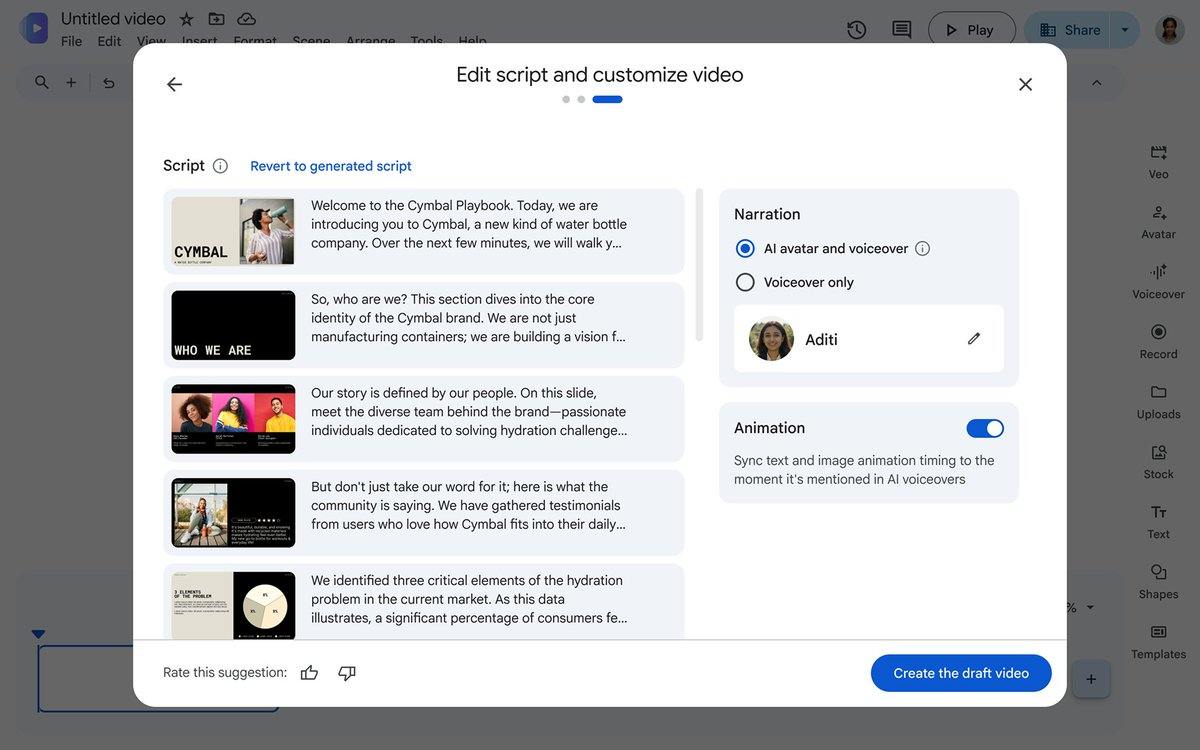
Step 1: Open Google Vids - Head to vids.new. It lives inside your Google Workspace, no new software to install.
Step 2: Import your Google Slides deck - Connect your presentation directly. Vids reads the content and automatically generates a storyboard and AI avatar script from your slides.
Step 3: Customize your avatar - Add a custom avatar to present your content. Direct it to walk, talk, and interact with objects by typing a plain-language prompt. No duration limits on the clips it generates.
Step 4: Generate voiceover in your language - Choose from 24 supported languages including Hindi, Arabic, Tamil, Telugu, Dutch, and Vietnamese. Vids generates the voiceover automatically from your script.
Step 5: Export and share - Your presentation is now a fully produced video, ready to send, publish, or use for product demos, sales pitches, or onboarding content.
One deck. 24 languages. No production crew. You can try Google Vids here.
🤝 Anthropic Wants Claude To Join Your Team
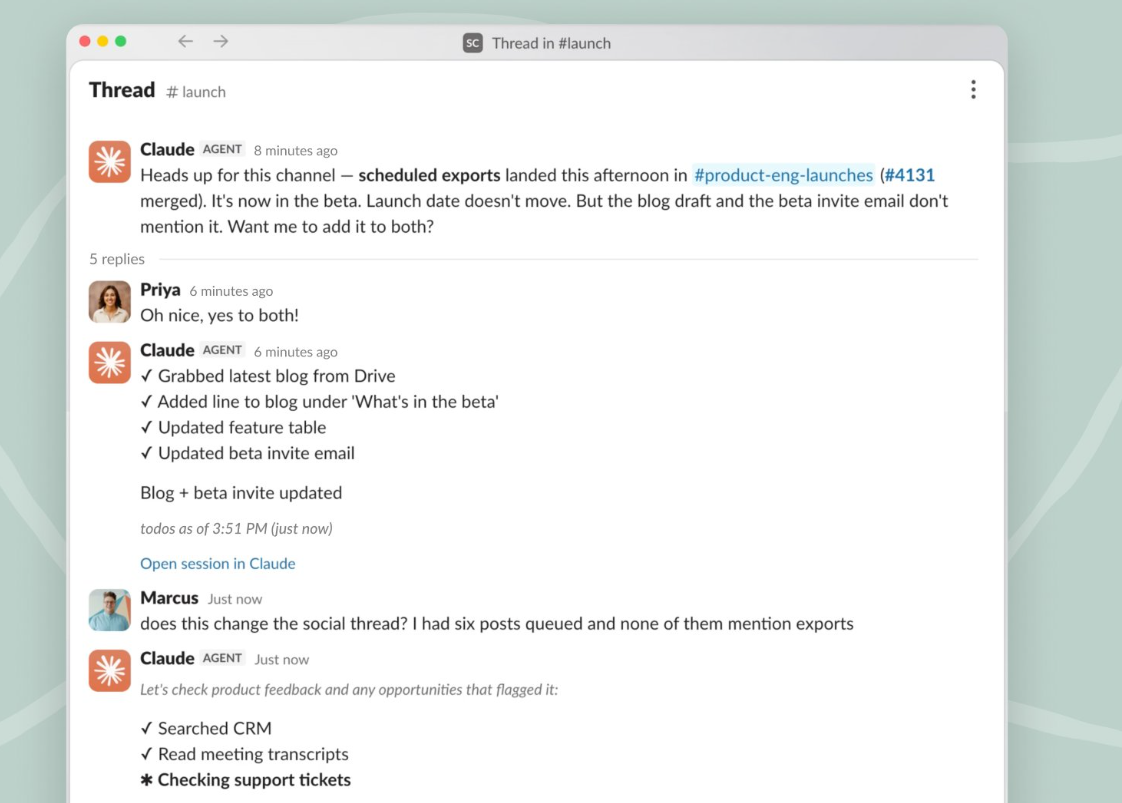
Anthropic is moving beyond one-on-one AI assistance and into workplace collaboration. With Claude Tag, teams can now treat Claude like a Slack teammate that handles tasks, tracks context, and follows work across conversations.
The Decode:
Just Tag Claude - Team members can assign work by mentioning @Claude in Slack, after which the AI breaks tasks into steps, gathers information, uses approved tools, and delivers results when complete.
Context That Sticks - Unlike traditional chat interactions, Claude builds understanding over time, learning about projects, discussions, and workflows across the channels and systems it can access.
Working Across Teams - Claude can pull information from connected tools and multiple Slack channels, helping teams complete work that normally requires jumping between conversations, documents, and systems.
Following Up Automatically - A new ambient mode lets Claude monitor ongoing work, retrieve relevant context from other channels, and surface tasks that may have stalled or need attention.
Most AI assistants wait for instructions and then disappear. Claude Tag pushes toward a different model: an AI teammate that stays embedded in the workflow, remembers context, and helps coordinate work across a team instead of just responding to individual prompts.
Together with Playbook Pro
The Playbook for Profit That Funds Itself

Great operators don’t just count cash, they make it multiply. They use timing and leverage to turn everyday revenue into rapid expansion.
Financial Alchemy is your cheatsheet packed with real operator insights and ready-to-use templates. Inside, you’ll learn how to:
💰 Master cash-conversion cycles to grow while suppliers fund your inventory, just as Wayfair scaled with a –34-day cash conversion cycle.
📊 Use the Cash Flow Simulator to forecast scenarios and uncover up to $100K in hidden operating cash within a single quarter.
🧮 Pinpoint profit levers with the Unit Economics Analyzer to cut CAC payback windows from 6 months to as little as 3 months.
🤝 Negotiate better terms using the Supplier Toolkit, a framework inspired by Skinny Pasta’s strategy that extended supplier terms to 120 days and fueled 100%+ Y-o-Y growth.
Start compounding capital instead of chasing outside funding.
Get your ebook now and turn your cash flow into the most powerful growth engine!
🏆 Tools you Cannot Miss:
🪵 Wuddy – Identifies wood species from a photo in seconds, making it useful for woodworkers, carpenters, students, and hobbyists.
🎬 BYFlux – Transforms static images into AI-generated video clips using leading models like Kling, Seedance, and Veo.
💎 Jewelry Model AI – Converts jewelry product photos into realistic on-model images for ecommerce, advertising, and social media content.
💍 FondPix – Turns everyday couple photos into elegant wedding-style portraits for invitations, announcements, albums, and keepsakes.
🎤 Acedly AI – Provides real-time interview and meeting assistance by surfacing relevant talking points and context in a private overlay visible only to you.
🚀 Quick Hits
🏠 Google Home is getting smarter at recognizing people, using cues like body size and clothing when faces aren’t visible. The update also adds richer AI camera descriptions, sound detection, and improved smart home health alerts.
🤝 Superhuman is acquiring GPTZero, bringing AI content detection and authenticity verification into its AI assistant.
🤖 Anthropic launched Claude Tag for Slack, letting teams assign work to @Claude directly in channels. The AI agent can analyze data, find business insights, write and merge code, and complete long-running tasks using company-approved tools and context.
🧬 NVIDIA launched the BioNeMo Agent Toolkit, giving AI agents specialized tools for protein structure prediction, molecular docking, generative chemistry, and other drug discovery workflows to accelerate biomedical research and development.
⚠️ Cloudflare CEO Matthew Prince warned that AI agents could “destroy small businesses” by becoming the primary decision-makers in purchases, making it harder for smaller brands to influence buying choices and compete for visibility.
🧩 Prompt of the Day
LinkedIn Connection Requests That Start Real Conversations
Most LinkedIn connection requests are generic or immediately ask for something. The best messages create relevance, show genuine interest, and make it easy for the other person to accept.
Build relationships before making requests.
Paste the prompt: Drop this into ChatGPT, then fill in your networking details.
Prompt to paste
Write 5 LinkedIn connection request messages based on my [Insert role], [Insert target company or person type], and [Insert reason for connecting]. Create one message for each scenario: cold outreach to a recruiter, connecting with a potential mentor, following up after meeting at an event, reaching out to a hiring manager, and a warm follow-up with an existing contact. Keep each note concise, personalized, and natural while avoiding generic networking language or transactional requests. Focus on building genuine professional relationships and increasing connection acceptance rates.
🤳AI Nugget of the Day
Thanks for Decoding with us🥳
Your feedback is the key to our code! Help us elevate your Decode experience by hitting reply and sharing your input on our content and style.
Keep deciphering the AI enigma, and we'll be back with more coded mysteries unraveled just for you!